I need to edit / cancel an order I just placed! How can I do that?Updated 2 months ago
Our automated returns portal can now edit your current orders as well! Please note that orders can only be edited or canceled within 45 minutes of placing the order. Once that time has passed, the order can no longer be edited or canceled.
To edit your order:
- Head to our automated returns portal here. If you are already logged in on our site, your orders will appear, with the top order being the most recent. If you aren't already logged in to the site, you can search for your order using your seven digit order number and the email address associated with the order.
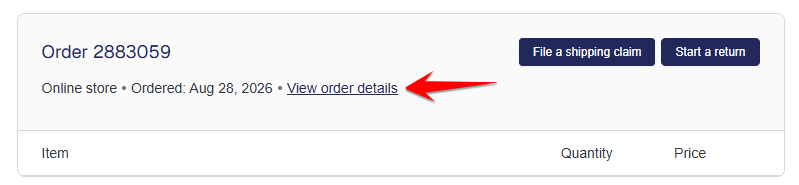
- Click on the "View Order Details" link
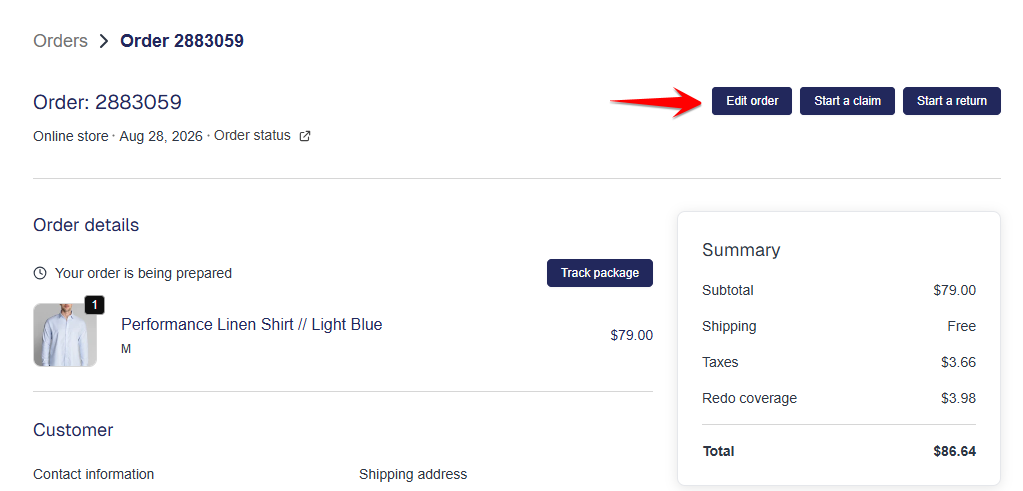
- Once you are within the order details page, click the "Edit Order" button:
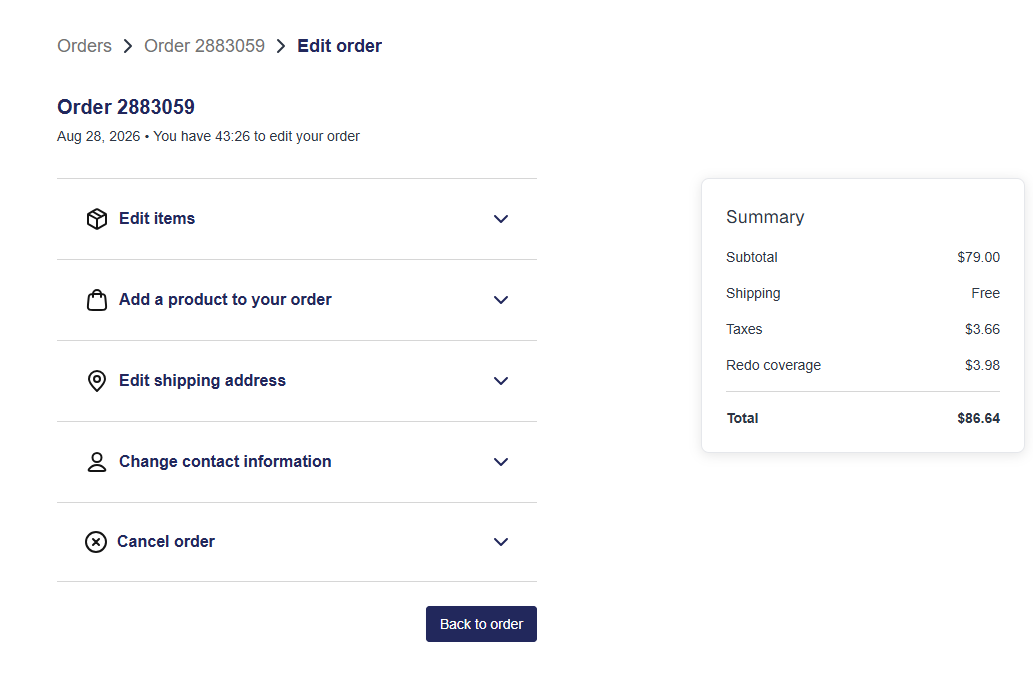
- You will then see the order edit options available, which may include the following:
- Edit items: This allows you to add or remove a quantity of the current items in your order (e.g. going from one Leader Non-Iron Solid White shirt to two)
- Add a product to your order: Add new products to your order
- Edit shipping address
- Change contact information
- Cancel order